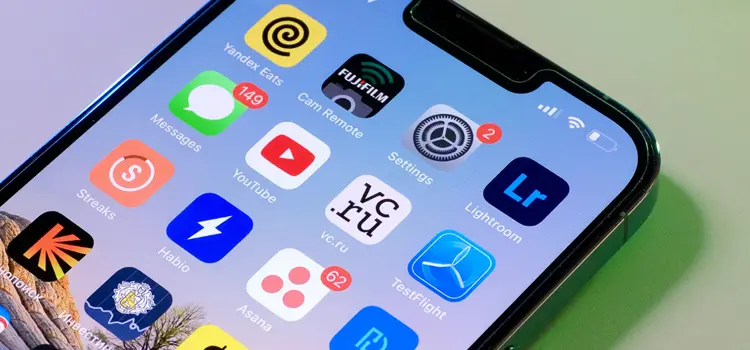
The Leading Mobile APP Design Tools who Rule the Industry

mobile app design

In Mobile App Development industry, Designers are always looking for the appropriate tool that will make their designs worthwhile for the visitors. They need top notch skill, creativity, and of course the right tools to develop the design.

While it’s still essential to sketch your wireframes and products prototype on paper, app designing software are making it easier less tedious and easy to share finished or unfinished jobs with clients, developers, and designers.

But with lots of design tools everywhere nowadays, that’s why it is challenging for the developers to choose the right tool for particular type of apps.

Let me say the Good News to I have find out more than 10 mobile app developers tools which you prefer to use. I am confident that you will find the right tool for you mobile apps development.

1. Sketch

    Sketch is built for designers who work as a mobile app developer like you. There are so many useful features, and powerful plugins which is built by a community of developers and assure you it helps you what do you want.

    These are the silent features which are given below:

    – Complete Toolkit
    – Non-destructive Editing
    – Pixel Precision
    – Vector Editing
    – Code Export
    – and many more

    2. Adobe Experience Design (XD)

    XD is the all-in-one UX/UI solution for designing websites, mobile apps, and more. Peoples say that XD is the direct competitor of Sketch.

    XD provides you smooth, powerful performance, it’s easy to deliver experiences that work and feel as good as they look on any screen.

    Features which attract you are:

    – Eliminate tedious tasks with Repeat Grid.
    – Fast, versatile artboards.
    – Reimagined layers and symbols.
    – Powerful tools that is easy to use.
    – Beautiful experiences inside and out.
    – Control and customize your experience.
    – Preview on mobile devices.

    3. Marvel

    Currently 60% of mobile app developers are using Marvel tools and i like to use Marvel for prototyping. It’s one of the best ways you can link all of your design elements together in one place. You don’t need to luxurious, complicated, and advanced programs anymore to accomplish this.

    Their platform is enormous if you’re designing an mobile app for the Apple App Store.

    The prototypes are compatible with various devices which are given below:

    – iPhone
    – iPad
    – Apple Watch
    – Apple TV
    – Macbook desktops
    – Macbook laptops

    4. UI Stencils

    UI Stencils is a best option for developers to draft early sketches of your mobile app design.Their kit is made out of stainless steel, so that you can’t treat as like plastic, a stainless steel utensil.

    You’ll also get a booklet of sketch pads and a small carrying case for ease of use. They have special design sizes for different device specifications. UI Stencils is a good tool for brainstorming in the early design stages of design & development.
    5. Proto.io

    With a lot of design and prototype templates, you can make your work easier with Proto.io. It’s very easy to use, as no coding is required for design. More importantly, you can seamlessly import your UI components from Sketch or Photoshop that is the main difference among all designer tools.

    Thankfully, it’s a browser-based prototyping tool, you don’t need to download any heavy software, you can start using it right away after signing up for their 15 days free trial.

    How can Do Better B2B Email Marketing in Crowd Environment

    B2B Email Markting

    As per information to the Hubspot, your average customer receives 126 emails per day. When you’re dealing with that much competition, it’s very hard to stand out from the business crowd. In reality, many companies send large amount of message which is irrelevant. And around 79% users unsubscribed email because of many email receive by same users.

    Actually this is not the real reason; the real is marketer send lots of boring message to the user inbox. So I would like to introduce the ways to how can you do better B2B email marketing in different business crowd. Here is the example:

    1. Make bold sentence of long sales email

      According to a study by Constant Contact, emails around 200 words long have the highest click-through rates. Therefore, it’s good soft rule to keep your sales emails limit within 200 ranges. Of course, everyone break the rules; it’s natural but keep it mind don’t break the rules to avoid to send into spam folder.

      According to Marketing Sherpa, Reader only spend an average of 20-30 seconds on each email. So, You need to decide write really short paragraphs with bold sentences which attract to customer. Bolding sentences is a good way for you to spice up your email in case you are writing long email and don’t overdo this typo.

      2. Place your CTA above and below the fold

        Call-to-action(CTA) is the important things or habit in the email while you are writing email for marketing purpose.

        “It is a best practice. So the most important parts of the page will usually do best above the fold.” According to Brian Massey from Conversion Sciences.

        On the other hand, there is truth evidence that putting CTA above and below the fold to do much better than only on top. According to the market research fold result 25% increase the conversion rate of the leads.

        3. Add Urgency to Your Emails

          Many email marketers fight to add authentic urgency to their campaigns. After all, adding inauthentic urgency to your campaign will make your brand seem like the boy who cried wolf. If you say the 60% discount for the webinar ends tonight, then it really should end tonight. If you continually extend discounts, sales, and special offers, then you’re customers will catch on, and future “urgent” emails will lose their value.

          There are following way to show urgency in email which are given below:

          • Beta Subscription – If you have a new subscription, the you can say to the customer to for new subscription.
          • Raising Your Price- Price increases are challenges, but they can also be opportunities. This will inspire them to join quickly, so they can secure the lower price.
          • Higher Tier-Many times placing a customer in a higher tier is more attractive than offering a discount. Customers may like the features in the higher tier and improve after the trial is over.

          4. Create Anticipation Email

          Making your listeners burst with excitement. Creating real buzz around your product. Exceeding customer’s expectations. Is that even possible?

          It is possible. Of course, an anticipation email isn’t going motivate people who aren’t interested in the first place. however it certainly will raise the excitement level of people who are already fans of your brand (and those people spend the most money anyway). Michael Hyatt used an anticipation email to hype up a new product.

          5. Renting Out an Email List

            One of the biggest problems email marketers have is increasing their list through paid advertising. You’re spoiled for choice, but it’s hard to know where to start. Sometimes, it feels like the quote from the Rime of the Ancient Mariner, “Water, water everywhere, nor any drop to drink.”

            You can run ads on Google, Bing, YouTube, Facebook, Twitter, and many other places where you want. However, PPC advertising is not for every business. One one hand, it works. According to the Google Economic Impact Report, businesses make an average of $2 in revenue for every $1 dollar they spend on Adwords. Yet, that’s just the average. Most of that revenue is going to the companies who really understand Adwords. A typical small or medium-sized business owner wastes 25% of their PPC budget.

            How to Create, Read, Update and Delete a Cookie with PHP or JavasScript

            PHP Javascript

            A cookie, also known as an HTTP cookie, web cookie, or browser cookie, is a small piece of data sent from a website to the local system and stored in a user’s web browser while the user is navigating that website.

            Every time the user view the website, the browser sends the cookie back to the server to notify the website of the user’s previous activity. Cookies were designed to be a reliable mechanism for websites to remember stateful information (such as items in a shopping cart) or to record the user’s browsing activity.

            You can set the time for cookie stored in user’s browser.